Buona
Holiday hours checklist: Google, Apple Maps, Bing, Yelp and social, from Thanksgiving to New Year
From Thanksgiving to New Year's Day, customers search "open now" more than ever. How to set holiday hours on every platform, when to use "temporarily closed", and the mistakes that send customers to a locked door.
Key takeaways
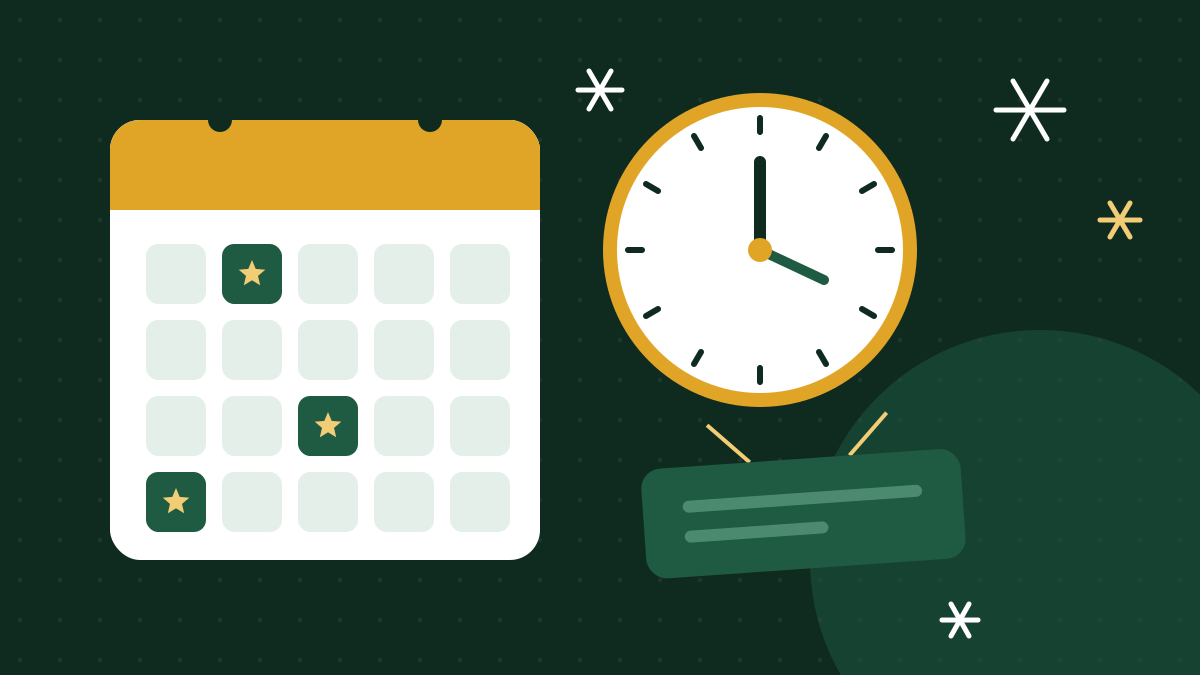
- The dates to fix this season: Thanksgiving (Nov 26), Black Friday and Small Business Saturday, Christmas Eve and Day, New Year's Eve and Day, and MLK Day (Jan 18).
- On Google, special hours cover changes or closures of up to 6 days in a row; for 7 days or more, use "Temporarily closed".
- Google recommends confirming hours for official holidays, even when they don't change.
- Apple Maps, Bing, Yelp, Facebook and your booking platform don't copy special hours from Google: update each one.
- Do it before the holiday, then check from a friend's phone.
The holiday season is when your hours change the most, and when customers check them the most. "Bakery open on Thanksgiving", "restaurant open Christmas Eve", "pharmacy open New Year's Day": these are last-minute searches, on a phone, often from the car. If Google says "open" and the door is locked, you've lost a customer and probably earned a bad review. If it says "closed" when you're open, they go next door and you never know.
This checklist helps you fix everything once, in half an hour, on every platform that matters.
The dates to fix this season
| Date | Day | What to check |
|---|---|---|
| Nov 26, 2026 | Thursday | Thanksgiving. If you haven't set it yet, do it today. |
| Nov 27 | Friday | Black Friday: many shops open early or stay open late. |
| Nov 28 | Saturday | Small Business Saturday: a good reason for extended hours, and to say so. |
| Dec 24 | Thursday | Christmas Eve: often shorter hours. |
| Dec 25 | Friday | Christmas Day. |
| Dec 31 | Thursday | New Year's Eve: shorter day hours, special evening openings. |
| Jan 1, 2027 | Friday | New Year's Day. |
| Jan 18 | Monday | Martin Luther King Jr. Day: check if your hours change. |
Add your own dates: inventory days, a winter break, a private event. And the opposite case: if you're usually closed on Sundays but open on the Sundays before Christmas, that's a special-hours entry too.
Google: special hours or "temporarily closed"?
Google Business Profile has two different tools, and picking the wrong one confuses customers1:
Special hours
For changes or closures of up to 6 days in a row: closed on Thanksgiving, open until 3 pm on Christmas Eve, evening only on New Year's Eve.
Temporarily closed
For closures of 7 days or more, or of unknown length: for example a winter break from January 4 to 17.
Confirm
For official holidays Google recommends confirming your hours even if they don't change, so customers know they're right.
How to set special hours, step by step
- Open your profile (search your business name on Google while signed in with the account that manages it) and choose Edit profile, then Hours.
- Next to "Special hours", click Edit. Google suggests the upcoming holidays.
- For each date choose "Closed" or enter that day's hours. If nothing changes, confirm your regular hours.
- Save. For hours past midnight (a New Year's party until 2 am), split them across two days: Google doesn't accept a single slot longer than 24 hours1.
If you have several locations, Google lets you upload special hours for all of them at once with a spreadsheet1.
Apple Maps: "temporary hours"
iPhone users who ask Siri for "a bakery open near me" see your Apple place card, not Google. In Apple Business, holidays are set as temporary hours: pick the day or the date range, then enter your hours or mark yourself closed3.
- Sign in at business.apple.com, open your location and go to its information.
- Add the holidays as temporary hours, closed or with shorter hours.
- Save and check the place card preview. Apple asks that your hours match your website wherever possible3.
No Apple listing yet? Here's how to set one up.
Bing, Yelp, Facebook and your industry platforms
Each platform has its own dashboard and none of them copies special hours from Google automatically. Update them one by one:
- Bing Places (bing.com/forbusiness): it feeds Bing, Copilot and, indirectly, ChatGPT, which relies heavily on Bing's index.
- Yelp: in Yelp for Business, special hours are set in your business information, next to your regular hours4.
- Facebook and Instagram: update your Page hours and, if you close for several days, post about it. Many customers check there first.
- OpenTable, Resy or your booking tool (restaurants): block the dates, or someone will book a table for the 25th.
- Booking.com, Expedia and Tripadvisor (hotels and B&Bs): availability and seasonal closures, plus front desk or restaurant hours.
- Your website: a line at the top of the homepage ("Holiday hours") beats a PDF nobody finds.
Ready-to-use posts
A post on Google, Facebook and Instagram a week ahead saves phone calls and surprises. Adapt them:
Restaurant
Holiday hours 🎄 Christmas Eve, Thursday Dec 24: open for lunch, closed for dinner. Christmas Day: closed. New Year's Eve: dinner by reservation from 8:30 pm. New Year's Day: closed. Regular hours from Saturday Jan 2. Book at [phone].
Café or bakery
Open this Sunday, Dec 20, from 7 am to 1 pm for your holiday orders! On Dec 24 and Dec 31 we close at 2 pm, and we're closed Dec 25 and Jan 1. Order pies and cakes by Dec 20.
Hotel or B&B
Our front desk is open every day over the holidays, 8 am to 10 pm. The restaurant is closed for dinner on Christmas Day. We're closed for our winter break January 4–17: see you on the 18th!
Tip: write the weekday and the date ("Friday, December 25"), not just "Christmas". Someone reading in a hurry shouldn't have to do the math.
The most common mistakes
- Using special hours for a two-week break. Beyond 6 days, Google wants "Temporarily closed".
- Marking "temporarily closed" and forgetting to reopen. Set a phone reminder for the day you reopen.
- Updating Google only. Apple Maps, Bing, Yelp and Facebook keep your regular hours.
- Not confirming holidays when you're open as usual. Customers see the doubt, not your hours.
- Changing your business name to "Open on Christmas!". It's against Google's guidelines: use hours and posts, not the name.
- Doing it on December 23. Some edits are reviewed before they show: do it well ahead.
The 5-minute final check
- From a friend's phone (or a private window), search your business name on Google and Google Maps.
- Do the same on Apple Maps, Bing and Yelp.
- Open your Facebook Page and your website.
- For each date in the table, ask: would a customer who only looks here know whether you're open?
Frequently asked questions
I'm open as usual on Christmas Eve. Do I need to do anything?
Many customers expect shorter hours on Christmas Eve. If you keep your regular hours, confirm them in special hours or in a post: it removes the doubt.
I close from December 27 to January 5. Special hours or temporarily closed?
That's more than 6 days in a row: on Google, use "Temporarily closed", and remember to reopen your profile the day you're back.
Will "temporarily closed" hurt my ranking?
Google doesn't publish details on this. What we know is that accurate hours are among Google's official local tips, while customers who find you closed leave bad reviews. Telling the truth is still the best choice.
Sources
- Google, How to set special hours
- Fit Small Business, Google Business Profile holiday hours: what to fix
- Apple Business, Hours for a location
- Local Marketing Institute, How to set holiday hours in Google, Yelp and Bing
Sources checked on November 24, 2026. Platforms change often: if you spot something out of date, let us know.